
For many fitness and wellness professionals, staying active on social media can feel like a full-time job on top of a full-time job. Between training clients, planning classes, responding to messages, and running programs, finding the time to post consistently is a major challenge. Yet consistency is exactly what helps you stay visible, build trust, and grow your business online. The right social media scheduling tools take the pressure off by letting you plan posts in advance and keep your audience engaged even when you are focused on your clients.
This article walks through some of the best social media scheduling tools available, why they matter for fitness and wellness professionals, and how to pick the right one for your unique needs. The goal is to help you save time and maintain a strong presence without having to scramble for content every day.
Why Scheduling Tools Matter for Fitness Pros
Before talking about specific platforms, it helps to understand why social media scheduling tools are so useful. Fitness and wellness professionals thrive on connection. Whether you’re sharing workout tips, nutritional advice, motivational posts, or client success stories, your audience expects regular, authentic content. Posting sporadically can make you less memorable.
A scheduler lets you create content in blocks, plan it for the week or month, and then let the system handle the posting. This gives you time back in your day and helps you maintain a reliable rhythm on platforms like Instagram, Facebook, TikTok, and LinkedIn.
In recent years, some platforms have also introduced features like performance analytics, automated posting suggestions, and even AI content drafts to support creators. If you want to explore content strategy beyond scheduling, there are tools that help you apply AI powered content for coaches to generate captions and post ideas based on your brand voice and audience preferences.
Features to Look For
Not all scheduling tools are created equal. When choosing one, consider the following features:
Multi‑Platform Support. The ability to schedule posts to multiple social channels from one dashboard is a huge time‑saver.
Calendar View. A clear calendar lets you see your planned posts at a glance and make adjustments easily.
Analytics. You want tools that show you how your posts are performing so you can refine your content strategy.
Mobile Access. Being able to manage scheduling from your phone is essential for fitness pros who are on the move.
Visual Planner. Especially for image‑focused platforms like Instagram, being able to preview your feed helps maintain a cohesive look.
Content Library. Storing your graphics, templates, and video clips in one place helps you reuse and repurpose assets without hunting for files.
With those criteria in mind, let’s look at some scheduling tools that are especially popular with fitness and wellness creators.
1. Later
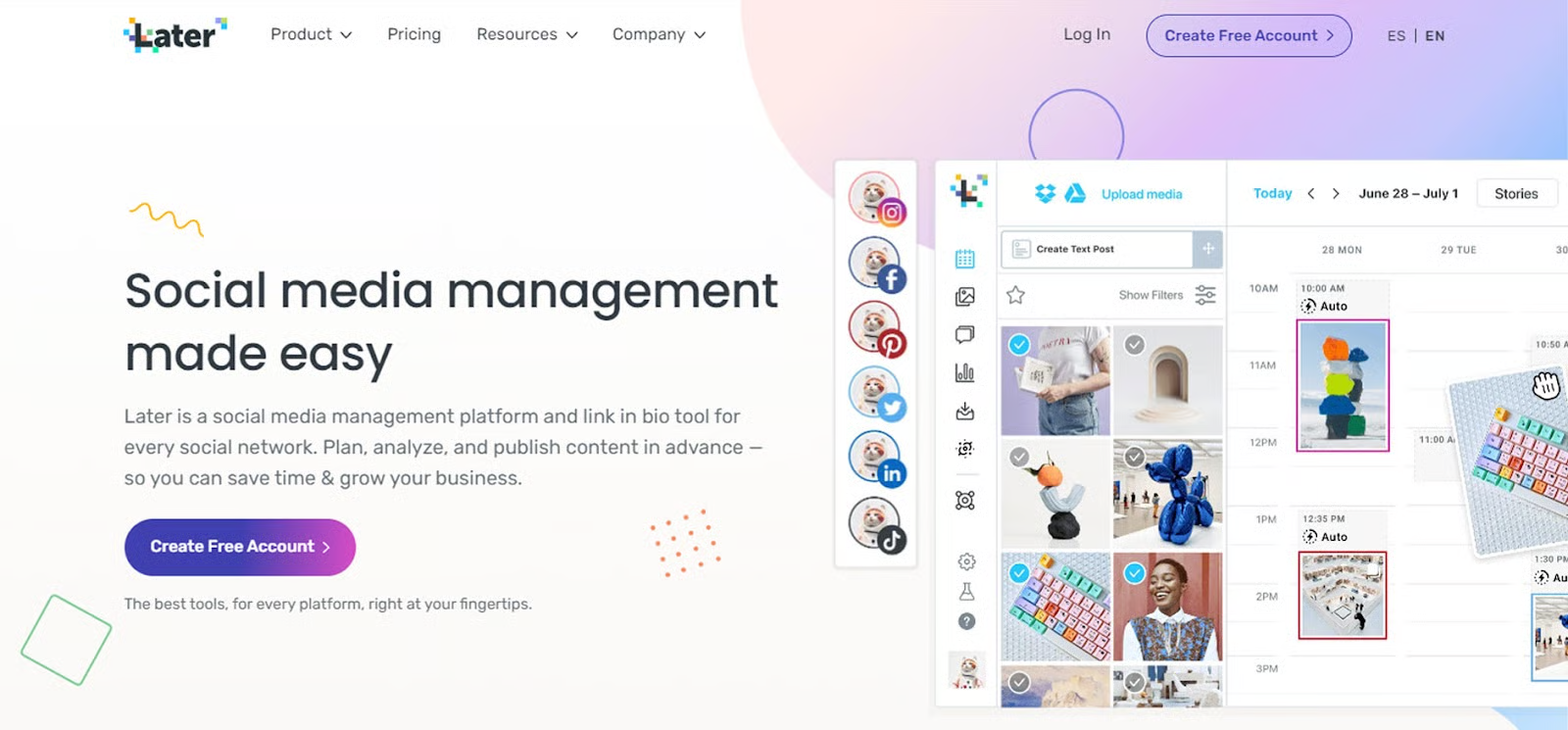
Later is known for its visual social media planner. It’s especially good for Instagram and Pinterest content, but it supports Facebook, TikTok, and Twitter as well. On Later, you can drag and drop your posts into a calendar view to plan your month at a glance. It also has a visual grid that shows how scheduled Instagram posts will look together, helping you curate a consistent aesthetic.
Later provides analytics that show engagement rates and best times to post, so you can learn what works. It also allows you to schedule videos and reels, which are increasingly important for fitness pros.
The interface is user‑friendly and doesn’t require a steep learning curve, making it a solid choice if you want to plan visually and stay organized.
2. Buffer
Buffer is a long‑running favorite for simple, reliable scheduling. It supports multiple social networks, including Instagram, Facebook, LinkedIn, and Twitter. Its scheduling tool allows you to queue posts by simply choosing a time and date, making it quick to set up campaigns.
One of Buffer’s strengths is its analytics. You can see how each post performs, track growth over time, and get suggestions for optimal posting times. It’s especially useful if you want straightforward scheduling without too many bells and whistles.
Buffer also offers team workflow features, so if you work with an assistant or a co‑trainer who helps with content, you can manage approvals and comments within the tool.
3. Hootsuite
Hootsuite is a robust platform that supports a wide range of social networks and is often used by businesses of all sizes. It offers a comprehensive calendar view, team collaboration tools, and detailed analytics. You can schedule posts, monitor engagement, and respond to comments from a single dashboard.
One of Hootsuite’s advantages is its ability to handle large volumes of content and multiple accounts. If you manage several pages for different programs, events, or instructors, Hootsuite keeps things consolidated.
It also offers reporting tools that break down audience demographics and engagement trends, which can help you adjust your content strategy over time.
4. Planoly
Planoly started as a visual planner for Instagram but has expanded to support Pinterest and TikTok. It’s ideal if you lean heavily on image and video content. You can drag and drop posts into a calendar and preview your Instagram grid before anything goes live.
Planoly is beginner‑friendly and perfect if you want an intuitive place to plan content without technical complexity. It also includes basic analytics and a media library to store graphics and video assets.
5. Sprout Social
Sprout Social is a more premium tool, but it offers powerful features that many serious creators appreciate. It combines scheduling with engagement tools, listening features, and advanced analytics. You can track how posts perform across different platforms, compare campaigns, and even monitor trends to see what content resonates with your audience.
Sprout Social also offers robust team collaboration features and customer support, making it a great choice if you work with staff or have multiple contributors to your content.
6. Tailwind
Tailwind is tailored for visual platforms like Instagram and Pinterest. Its strength lies in making visual planning easy. If your content strategy revolves around showcasing workouts, transformations, meal prep photos, or inspirational quotes, Tailwind’s grid preview and design tools make scheduling feel simple and creative.
It also includes hashtag suggestions based on performance, which can boost discoverability for fitness content.
7. ContentCal
ContentCal focuses on ease of use and collaborative planning. You can set up a calendar, assign posts to team members, and approve content all in one place. It supports multiple platforms and offers analytics so you can track performance.
This tool works well if you create content with input from others or if you want a straightforward workflow from planning to posting.
Making Your Choice
Choosing the right scheduling tool depends on your priorities. If visual content and Instagram presence matter most, a platform like Later or Planoly might be ideal. If you need heavy analytics and reporting, Sprout Social or Hootsuite may be worth the investment. If simplicity and ease of use are your top criteria, Buffer and ContentCal are excellent starting points.
Whatever you choose, the key is consistency. Scheduling tools take the pressure off daily posting so you can focus on what you do best: helping clients reach their fitness and wellness goals. With a clear content plan and the right scheduling system in place, you will spend less time on logistics and more time showing up for your audience in meaningful ways.
